Freight invoice format: GST-ready templates for owner-drivers
· 12 min read
Discover GST-ready freight invoice formats designed for Australian owner-drivers. Choose your template and streamline your invoicing today.

Freight invoice format: GST-ready templates for owner-drivers

A ready-to-use freight invoice format is available in Word, Excel, Google Sheets, and PDF below — each template is built for Australian owner-drivers and small freight businesses, with ABN, GST, and LR/consignment note fields already included.
Grab the format that suits your workflow, fill in your details, and you’re ready to send a compliant tax invoice. Before you do, check these three things:
- ABN — your Australian Business Number must appear on every tax invoice where required by law
- GST breakdown — show the GST-exclusive subtotal, the 10% GST amount, and the total separately so your BAS reporting is clean
- LR/consignment note number — cross-reference the consignment note on the invoice so payments and claims can be matched quickly
Key takeaways
A compliant Australian freight invoice needs your ABN, a clear GST breakdown, and the LR/consignment note number — get those three right and most payment delays disappear.
| Point | Details |
|---|---|
| GST-ready fields are non-negotiable | Every invoice needs ABN, GST-exclusive subtotal, 10% GST amount, and total payable shown separately. |
| LR number links your documents | Always reference the consignment note number on the invoice for reconciliation and dispute resolution. |
| Use PDF for sending | Export from Excel, Google Sheets, or Word and send as PDF — never an editable file. |
| Credit notes fix errors cleanly | Issue a credit note referencing the original invoice number, then send a corrected invoice. |
| Ownerhaul automates the process | Ownerhaul generates ABN/GST invoices, tracks your GST ledger by quarter, and sends overdue reminders for Australian owner-drivers. |
Table of Contents
- Which freight invoice template format suits your workflow?
- What your freight invoice must include for Australia (ABN/GST checklist)
- How to format amounts and calculate GST on a freight invoice
- How a freight invoice differs from an LR/consignment note and a commercial invoice
- Common invoicing mistakes that cause payment delays
- Fast workflow for creating and sending a freight invoice
- Why a consistent invoice format matters more than most drivers realise
- Ownerhaul gets GST-ready freight invoices out the door faster
- Sources
Which freight invoice template format suits your workflow?
Free Freight Invoice Templates are available in multiple file types, and the right one depends on how you work day-to-day.
- Excel (.xlsx) — best for jobs with multiple line items, fuel surcharges, and insurance. Formulas calculate the GST-exclusive subtotal, 10% GST, and total automatically. The Smartsheet Excel freight invoice template is a solid starting point for calculation-ready invoices.
- Google Sheets — same calculation power as Excel, but shareable via a link. Useful if your bookkeeper or accountant needs live access, or if you’re quoting a job on the road from your phone.
- Word / Google Docs — best for a clean, branded single-page invoice. No formulas, so double-check your maths before sending. Add your logo, ABN, and payment terms once, then save as a master template.
- PDF — the format you send. Export from any of the above once the invoice is complete. PDFs can’t be accidentally edited by the recipient, which matters for disputes.
For road freight, a standard single-page template with one origin/destination and a few line items covers most jobs. For consolidated or multi-leg freight, add a separate line for each leg or carrier, and note each LR number in the description column. For international shipments, attach a separate commercial invoice with HS codes and customs values alongside your freight invoice — the two documents serve different purposes (more on that below).
You can add your logo, trading name, ABN, standard payment terms, and a job number field to any of these templates once and reuse them for every job.
What your freight invoice must include for Australia (ABN/GST checklist)
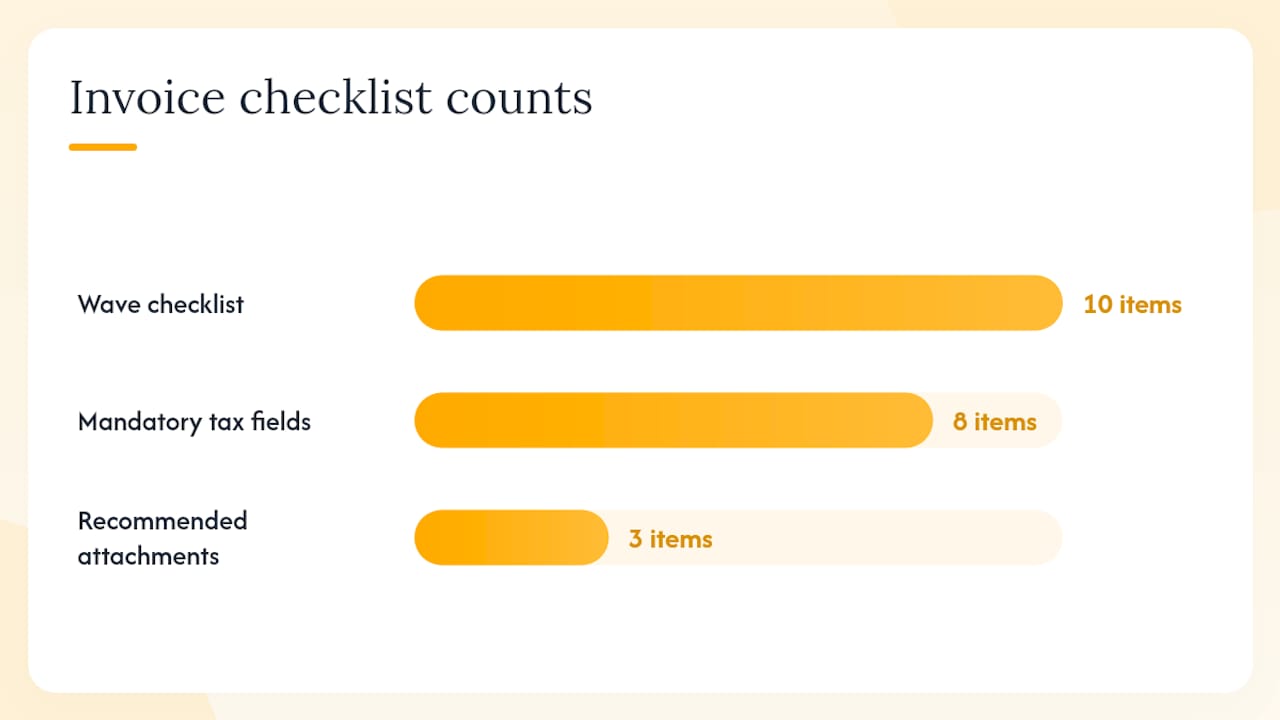
The Australian Taxation Office sets out what a valid tax invoice must contain. For higher value freight invoices, every field below is required.
Mandatory fields for an Australian tax invoice:
- Seller’s name (or trading name) and ABN
- The words “Tax Invoice” prominently displayed
- Invoice number (unique, sequential)
- Invoice date
- Description of the service or goods supplied
- Amount excluding GST
- GST amount (or a statement that the total includes GST)
- Total amount payable
Freight-specific fields to add:
- LR/consignment note number (links the invoice to the contract of carriage)
- Job number or purchase order reference
- Origin and destination (suburb/city is enough for domestic road freight)
- Weight (kg or tonnes) and/or volume (cubic metres)
- Number of pieces or pallets
- Service type: road, sea, or air
- Freight charge, fuel surcharge, insurance, detention, and any other line items listed separately
- Vehicle registration or driver name (useful for owner-drivers and useful for ATO audit trails)
Recommended attachments:
- Proof of delivery (POD) — signed delivery docket or electronic confirmation
- Commercial invoice for international shipments (customs values, HS codes, country of origin)
- Any credit note or adjustment reference if the invoice corrects an earlier one
For record-keeping, the ATO requires businesses to retain tax records for five years. Keep a copy of every invoice you send, along with the matching POD and consignment note.
Pro Tip: Follow the 10-item checklist from Wave Financial — company details, customer details, invoice number, dates, line items, tax, totals, and notes — before you send any freight invoice. Missing even one field can delay payment or trigger a BAS correction.
How to format amounts and calculate GST on a freight invoice
Present every charge as a separate line item with a clear label. Two-decimal currency formatting (e.g. $1,250.00) is standard. Your column layout should read: Description | Quantity | Unit Price | Amount (excl. GST).
Below the line items, show three summary rows:
Worked example — road freight job:
Round to the nearest cent. If you’re registered for GST and your annual turnover is $75,000 or more, you must charge GST and report it on your BAS.
Pro Tip: When rounding produces a one-cent discrepancy across multiple line items, apply the rounding to the last line item rather than the GST row. This keeps your GST amount clean for BAS reporting and avoids reconciliation headaches.
How a freight invoice differs from an LR/consignment note and a commercial invoice
These three documents travel together on many jobs, but they do different things. Mixing them up is one of the most common mistakes owner-drivers make.
Freight invoice vs. LR/consignment note (bilty):
According to the Transport Bill Format guide, the LR (lorry receipt) or consignment note is the contract of carriage and proof of dispatch. It’s created when goods are picked up. The freight invoice is the payment request — it triggers accounting entries and BAS reporting. One is operational; the other is financial.
- The LR/bilty is issued at pickup and travels with the goods
- The freight invoice is issued after delivery (or on agreed billing terms) and goes to the accounts payable contact
- Always write the LR/consignment note number on your freight invoice so both documents can be matched during reconciliation or if a claim arises
Freight invoice vs. commercial/customs invoice:
A commercial invoice is required for international shipments. It contains the customs value of the goods, HS (Harmonised System) tariff codes, country of origin, and Incoterms. The freight invoice covers your transport charges; the commercial invoice covers the value of the goods being moved. For cross-border jobs, you’ll need both.
- Domestic road freight: freight invoice only (plus POD)
- International sea or air freight: freight invoice + commercial invoice + any customs declarations
Pro Tip: Never use your freight invoice as a substitute for a commercial invoice on international jobs. Customs authorities need the goods value and HS codes, which don’t belong on a freight invoice. Keep the two documents separate and attach both to your shipment file.
Common invoicing mistakes that cause payment delays
Most payment delays trace back to a handful of avoidable errors. Here’s what to watch for.
Frequent mistakes:
- Missing ABN — the recipient can legally withhold a significant portion of the payment if your ABN isn’t on the invoice
- No GST line — a lump-sum total with no GST breakdown fails the ATO’s tax invoice requirements
- Absent LR/consignment note number — makes reconciliation slow and disputes harder to resolve
- Vague descriptions — “freight services” tells the client nothing; “road freight, Sydney to Melbourne, 2.4 tonnes, 12 pallets” is clear and defensible
- Incorrect totals — a maths error, even a small one, gives a client a reason to query the invoice and delay payment
- Missing payment terms — if you don’t state a due date and payment method, you can’t chase overdue invoices with confidence
Best practices:
- Use a unique, sequential invoice number on every document (e.g. INV-2026-0047)
- Attach the signed POD to every invoice you send
- State your preferred payment method (bank transfer with BSB and account number is standard in Australia) and a clear due date (e.g. 14 days from invoice date)
- Double-check freight charge calculations before sending, especially when fuel surcharges are percentage-based
Handling adjustments and disputes:
If you need to correct an invoice, issue a credit note that references the original invoice number, then issue a new corrected invoice. Never just edit and resend the original — this creates confusion in your client’s accounts and in your own BAS records. Note the reason for the adjustment on both documents.
Fast workflow for creating and sending a freight invoice
Follow these steps every time and you’ll send a clean, compliant invoice in under ten minutes.
- Pick your template — open your saved Word, Excel, or Google Sheets master template. Never start from a blank document.
- Fill in the header — your ABN, trading name, invoice number (increment from your last), invoice date, and due date.
- Add the job details — LR/consignment note number, job number, origin, destination, service type, weight/volume, and pieces.
- Enter line items — freight charge, fuel surcharge, insurance, detention, or any other charges as separate rows. Let the formula calculate the subtotal.
- Check the GST calculation — confirm GST is exactly 10% of the subtotal and the total is correct.
- Attach supporting documents — signed POD, commercial invoice if international, any agreed rate confirmation.
- Save as PDF — export from Excel, Google Sheets, or Word. Never send an editable file as your final invoice.
- Send by email — use a subject line like: Invoice INV-2026-0047 | Sydney–Melbourne | Due 14 Feb 2026. This makes it easy for the recipient to file and action.
Tool recommendations:
- Excel or Google Sheets for any job with multiple charges or percentage-based surcharges
- Word or Google Docs for simple single-charge jobs where a clean branded look matters
- PDF for every outgoing invoice, without exception
- For digital signing, tools like DocuSign or Adobe Acrobat Sign are accepted by most Australian businesses and add a layer of authentication for high-value jobs
For repeat jobs on the same route, clone your last invoice and update the date, LR number, and job number. This cuts preparation time significantly and keeps your formatting consistent.
Why a consistent invoice format matters more than most drivers realise
The freight industry runs on tight margins and tight timelines. A poorly formatted invoice doesn’t just look unprofessional — it creates real problems. Clients query it, accounts payable teams hold it, and you end up chasing payment instead of running jobs.
A consistent freight invoice format solves most of that before it starts. When every invoice you send has the same layout, the same fields in the same order, and a clear GST breakdown, clients process it faster. Your BAS preparation becomes straightforward because every quarter’s invoices follow the same structure. And if a dispute comes up, a well-documented invoice with an LR number, a POD attachment, and a clear description is far easier to defend than a vague one-liner.
For owner-drivers specifically, the time pressure is real. You’re doing the driving, the admin, and the bookkeeping. A saved template with your ABN, trading name, and standard payment terms already filled in means you’re not re-entering the same details on every job. That’s not a minor convenience — over a year of weekly invoicing, it adds up to hours.
The GST side matters too. Many owner-drivers underestimate how much a clean invoice format helps at BAS time. When your subtotals and GST amounts are clearly separated on every invoice, reconciling your GST collected for the quarter takes minutes, not an afternoon.
Ownerhaul gets GST-ready freight invoices out the door faster
Filling in a template manually works, but it leaves room for errors and takes time you don’t have between jobs. Ownerhaul is built specifically for Australian owner-drivers: log a job, generate an ABN/GST-compliant tax invoice, and send it — all from one place, without touching a spreadsheet.
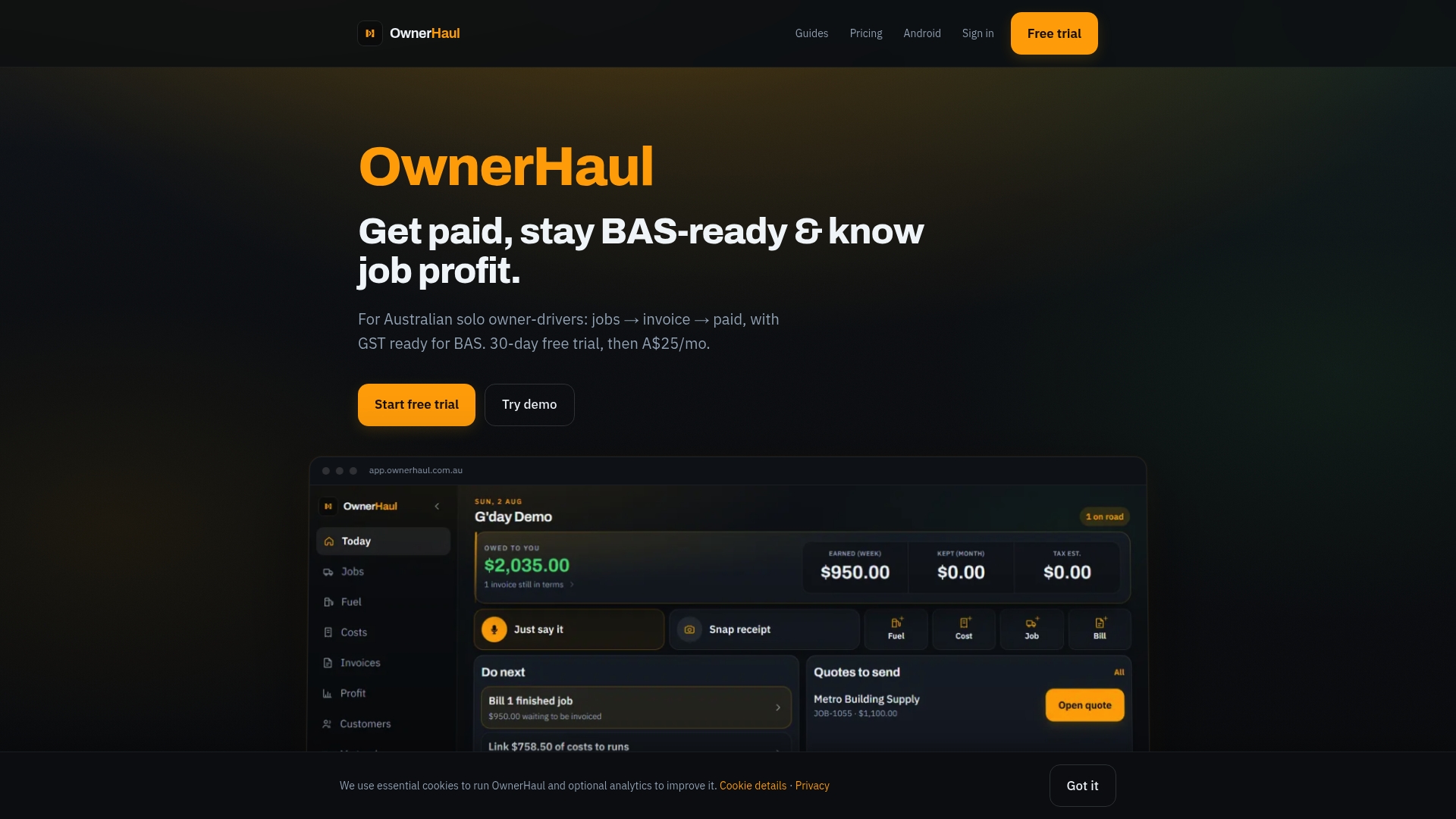
Key features for owner-drivers:
- ABN/GST invoice generation with correct tax invoice labelling
- Job logging with LR/consignment note linkage and job number fields
- Quarter-by-quarter GST ledger that feeds directly into your BAS
- CSV export for your accountant at tax time
- Overdue invoice reminders so you’re not manually chasing payments
The 30-day free trial means you can test it on real jobs before committing. Check the pricing and trial details and see how much time you save on your next invoice run.
Sources
- Free Freight Invoice Templates
- IC-Freight-Invoice-9174.xlsx (Smartsheet)
- Transport Bill Format: Excel, Word, PDF & GST Compliance Guide
This article is general information, not a substitute for advice from a qualified financial advisor. Consult a qualified financial professional about your own circumstances before acting on anything here.