Job numbering system: a practical guide for Australian businesses
· 16 min read
Discover a practical job numbering system for Australian businesses. Simplify management and save time with effective patterns today!

Job numbering system: a practical guide for Australian businesses

Pick a simple, consistent, searchable pattern and enforce it from day one. That single decision will save you more time than any other part of your job management setup.
Two formats you can copy right now:
- Compact sequential (non-intelligent):
JOB-0001,JOB-0002,JOB-0003 - Lightweight intelligent (year-reset):
2026-001,2026-002,2026-003
Use four-digit padding for most teams to accommodate a large number of jobs per period. If you reset annually, include the year in the prefix. Keep the total code under 18 characters to avoid field-length issues in most accounting and project management tools, as recommended by Lucity’s work order documentation.
Table of Contents
- What is a job number and why does it matter?
- Core rules every job-numbering system must enforce
- Copy-ready format templates you can use today
- How to implement job numbering in spreadsheets and common tools
- How job numbering supports BAS/GST reconciliation in Australia
- Common problems with job numbering and how to fix them
- Integrating job numbering with broader Australian tax compliance
- How to scale your numbering system as your business grows
- How to train staff and enforce consistent numbering across your team
- Security and access control for job numbering in digital systems
- Key takeaways
- Why simple, documented formats reduce long-term cost
- Ownerhaul takes the numbering work off your plate
- Useful sources for further reading
What is a job number and why does it matter?
A job number (also called a project number, work order number, or job reference number) is a unique identifier assigned to a single piece of work. It links everything related to that job — the invoice, the costs, the timesheet, the receipt — into one searchable record.
The practical uses are straightforward:
- BAS/GST reconciliation: The Australian Taxation Office expects you to match income and claimable expenses to specific jobs when you lodge your BAS. A consistent job reference makes that audit trail clear.
For Australian owner-drivers, this is where a purpose-built tool like Ownerhaul earns its keep. It automates job logging, generates ABN-compliant tax invoices, and produces accountant-ready exports that simplify BAS/GST reconciliation — all tied to a consistent job reference.
Core rules every job-numbering system must enforce
The four non-negotiable rules are uniqueness, immutability, a documented format, and a named owner.
Every number must be unique. Once issued, it must never change. The format must be written down somewhere your whole team can find it. And one person (or one system setting) must control what the next number is.
Governance checklist:
- Prefix: Keep it short (2–4 characters).
JOB,WO, or a two-letter client code. - Separator: Use a hyphen only where your tools allow it. Avoid spaces.
- Padding: Four digits (
0001) handles up to 9,999 jobs per reset period. Infodeck’s sequence numbering docs recommend four-digit padding for most teams. - Reset cadence: Never reset unless you include the year (or year-month) in the prefix. Resetting without a period prefix creates duplicates. Most small businesses do best with no reset at all.
- Field-length check: Confirm your accounting or PM tool’s character limit before finalising the format. Many systems cap work order number fields at 18 characters.
- Change control: Document who can change the prefix or reset the counter. Lock the setting in software where possible.
Who owns the sequence? For a solo operator, you own it. For a team, assign it to the operations manager or the person who creates jobs. Never let two people independently assign numbers.
Reset cadence guidance:
- Never reset: Best for low-volume businesses. Numbers grow but never collide.
- Annual reset: Use when you want year-grouped records. Always include the year in the prefix (
2026-0001). - Monthly reset: Use only for very high-volume operations. Include year and month (
2026-07-001).
Pro Tip: Lock your reset and year-inclusion settings before you issue the first number. Many platforms, including Infodeck, apply changes only to new records — existing numbers stay as-is, which means a mid-period change creates two numbering conventions in the same dataset.
Oracle Cloud’s manufacturing module takes immutability seriously: once a work order is created, its number cannot be updated. Plan your format before you go live, not after.
Copy-ready format templates you can use today
Pick a template that matches your reset cadence and search needs, then check it fits your tool’s field limit.
| Format name | Example | Characters | Best for |
|---|---|---|---|
| Compact sequential | JOB-0001 |
8 | Solo operators, no reset |
| Annual reset | 2026-0001 |
9 | Small teams, year grouping |
| Client-coded | ABC-2026-001 |
13 | Multi-client businesses |
| Month-reset | 2026-07-001 |
11 | High-volume monthly billing |
| Daily (rare) | — | — | Very high daily volume |
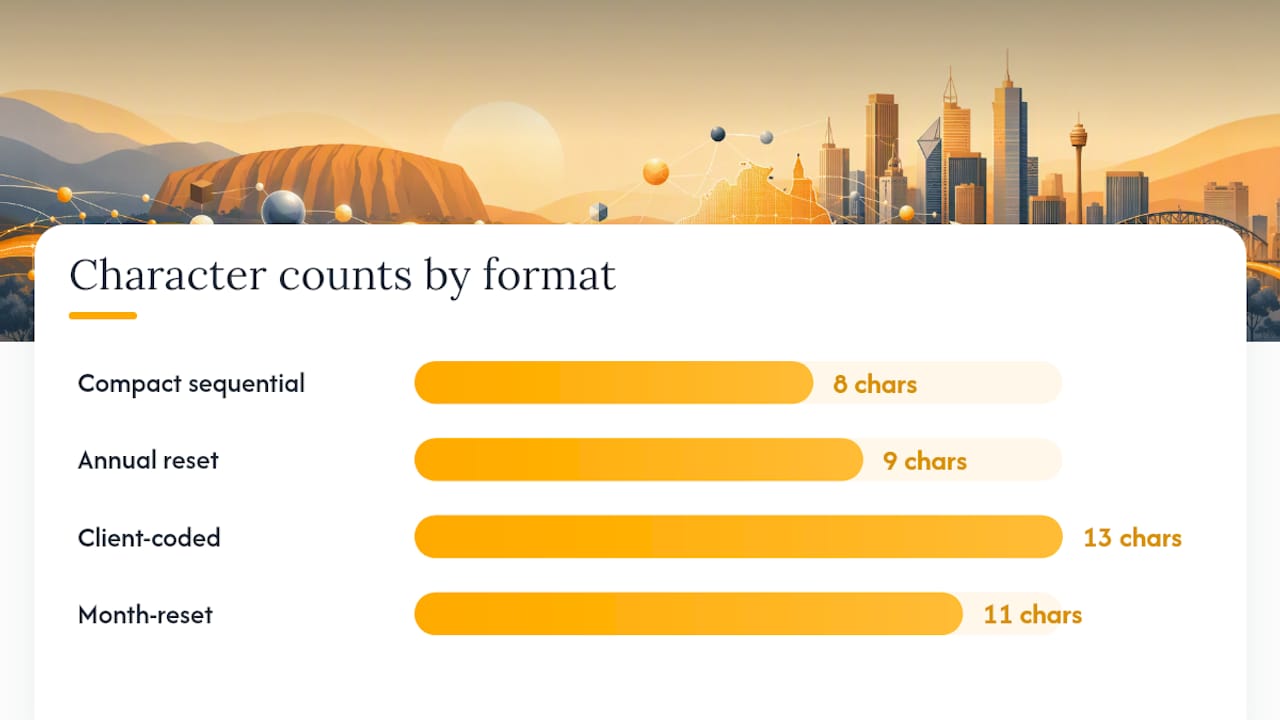
A short note on field limits: Lucity’s work order documentation warns of an 18-character maximum in its number field and recommends YY-XXXXXX for annual resets or YY-MM-XXXX for monthly resets. Before you commit to a format, open your accounting or PM tool and check the character limit on the job or invoice number field. A format that looks clean on paper can break an import if it exceeds the system’s limit.
Avoid stacking too many variables into one code. Year, month, day, client, and job type in a single string creates codes that are hard to read on mobile and error-prone to type manually.
How to implement job numbering in spreadsheets and common tools
Choose a single canonical source of truth — one sheet or one system — and automate numbering wherever possible. Manual entry is where duplicates happen.
Implementation steps:
- Define your format using the templates above. Write it in a shared document before touching any tool.
- Set your starting number. If you are migrating from an existing system, export all current numbers first, then set the next number to one above the highest existing value.
- Check field lengths in every tool that will store or import the number (accounting software, PM tool, spreadsheet).
- Automate in your spreadsheet. Use a formula like
="JOB-"&TEXT(ROW()-1,"0000")to generate padded sequential numbers automatically. For intelligent codes, concatenate fields:=TEXT(YEAR(TODAY()),"0000")&"-"&TEXT(A2,"000"). - Lock the counter. In accounting software, find the auto-numbering or sequence setting and set it to your chosen starting number. Disable manual override if the tool allows it.
- Test with five records before going live. Confirm the format appears correctly in invoices, exports, and any client-facing documents.
Migration checklist:
- Export all existing job or invoice numbers to a spreadsheet.
- Identify the highest number in use.
- Set the next number in your new system to one above that.
- Confirm field lengths match your new format.
- Archive the old number list so you can cross-reference during the transition period.
For platforms that lack native auto-numbering, third-party add-ons fill the gap. Microsoft Dynamics 365, for example, does not provide out-of-the-box auto-numbering for some key entities; configurable add-ons let you set prefix, padding, and starting number. The same principle applies to any PM tool with limited sequence support.
Multi-entity businesses face an extra risk: auto-sequencing configured by company rather than by shop can cause duplicate numbers across configurations if the settings overlap. If you run more than one entity, confirm each has its own independent counter.
How job numbering supports BAS/GST reconciliation in Australia
Consistent job numbers make BAS/GST reconciliation and accountant exports far simpler. Without them, matching invoices to costs at quarter end becomes a manual, error-prone exercise.
Practical Australian checklist:
- Link every tax invoice to a job number before you send it.
- Tag every cost (fuel, tolls, maintenance, subcontractor) to the same job number.
- Keep a running GST ledger by job so you can see claimable input tax credits at a glance.
- Export a CSV at the end of each quarter and hand it to your accountant with job numbers intact.
- Confirm your export format matches your accountant’s import requirements before you commit to a complex code structure.
Ownerhaul automates this workflow for Australian owner-drivers. It logs jobs, generates ABN-compliant tax invoices, links fuel and cost records to each job, and produces a quarter-by-quarter GST ledger ready for BAS lodgement. The CSV export carries job numbers through to your accountant’s system, so reconciliation is a matter of matching columns rather than hunting through paper records.
Pro Tip: Before finalising your job number format, send a sample CSV export to your accountant and ask them to confirm it imports cleanly into their software. A format that looks right to you may need adjustment to match their column expectations.
Common problems with job numbering and how to fix them
Most issues come from misconfiguration or unlocked settings. Start by confirming the canonical counter and checking what changed recently.
Duplicate numbers
- Export all job numbers to a spreadsheet and sort them.
- Identify the duplicates and the date each was created.
- Rename the later duplicate by appending a suffix (
JOB-0042A,JOB-0042B) and update the linked invoice and cost records. - Find the root cause: two users assigning numbers manually, or a reset that was applied mid-period.
- Lock the counter in software and remove manual-entry access.
Missing numbers (gaps in the sequence)
Gaps are usually harmless but can trigger questions during an audit. Keep a log of voided or cancelled jobs against their numbers so you can explain any gap.
Mid-year prefix changes
Avoid these. If you must change a prefix, do it at the start of a new financial year. Update your format document, set the new starting number, and archive the old sequence. Never reuse numbers from the old prefix in the new one.
Preventative controls:
- Run a monthly export and sort by job number to catch duplicates early.
- Restrict who can edit the sequence settings to one named person.
- Keep a one-page format document in a shared folder so new staff know the convention without asking.
Integrating job numbering with broader Australian tax compliance
Beyond BAS and GST, your job numbers support several other tax obligations under Australian law.
The ATO requires businesses to keep records for at least five years. A consistent job numbering system makes that straightforward: every invoice, receipt, and cost record carries the same reference, so you can produce a complete job file on request.
For income tax purposes, job numbers help you match deductible expenses to the income they relate to. A fuel receipt tagged to JOB-0147 sits alongside the invoice for that same job, making the deduction clear and defensible.
If you are subject to a Taxable Payments Annual Report (TPAR) obligation — common for businesses in construction, cleaning, courier, and road freight — job numbers make it easier to reconcile payments to contractors against the jobs they worked on. Each contractor payment should reference a job number so you can produce the TPAR data without reconstructing records from memory.
For audit trail purposes, number every document in the chain: quote, purchase order (if applicable), tax invoice, receipt, and payment record. When an auditor asks for the file on a specific job, you hand over everything tagged to that number.
How to scale your numbering system as your business grows
A format that works at 50 jobs a year may not work at 500. Plan for growth before you hit the ceiling.
The main pressure points are padding width and reset cadence. Four-digit padding (0001) gives you 9,999 jobs per period. If you are approaching that ceiling, move to five digits before you run out, not after. Changing padding mid-period creates inconsistent-length numbers that break sort order and can confuse imports.
When volume grows, consider splitting your sequence by job type or client. A client-coded prefix (ABC-0001, XYZ-0001) keeps each client’s jobs in their own sequence, which simplifies billing runs and client-facing reporting. The trade-off is more sequences to manage and a higher training burden.
Moving from a spreadsheet to a dedicated job management system is the right call when manual numbering starts producing errors or when your accountant is spending time cleaning up your export. The trigger is usually somewhere between 10 and 30 jobs per week, though the real signal is the first time a duplicate or missing number causes a payment delay.
When you migrate to a new tool, carry your existing numbers across. Set the new system’s starting number above your highest existing value, import your historical records with their original numbers, and confirm the new format matches your accountant’s import template.
How to train staff and enforce consistent numbering across your team
The best numbering system fails if two people use it differently. Training does not need to be elaborate.
Write a one-page format guide. It should cover the format, the reset cadence, who assigns numbers, and what to do if a number looks wrong. Put it somewhere everyone can find it: a shared drive, a pinned message in your team chat, or a laminated sheet near the workstation where jobs are logged.
Run a short walkthrough with every new team member before they create their first job. Five minutes is enough. Show them where the number comes from, how to enter it on an invoice, and who to call if something looks off.
Enforce the format through the tool, not through trust. If your software lets you lock the number field to auto-assign, do it. Remove the ability to type a custom number unless there is a documented exception process. The fewer manual entry points, the fewer errors.
Review job numbers monthly for the first three months after any change. A quick sort of the export catches duplicates and format deviations before they compound.
Security and access control for job numbering in digital systems
Job numbers are low-sensitivity data on their own, but the records they link to — invoices, costs, client details — are not.

Set role-based access in your job management or accounting system. Staff who log jobs should be able to create and view records but not edit the numbering sequence settings. Only the system administrator or operations manager should be able to change the prefix, reset the counter, or void a number.
Audit logs matter. Most accounting and PM tools record who created or edited a record and when. Enable that logging and check it when a numbering anomaly appears. Knowing that a duplicate was created by a specific user at a specific time tells you whether the cause was a process gap or a system fault.
For cloud-based tools, confirm that your data is stored in Australia or in a jurisdiction that meets your obligations under the Australian Privacy Act 1988. Job records linked to client ABNs and payment details are personal and business information that deserves the same protection as any other financial record.
Back up your job number register regularly. If your system goes down and you lose the counter, you need to know the last number issued so you can resume without creating duplicates.
Key takeaways
A well-governed job numbering system reduces invoicing errors, supports BAS/GST reconciliation, and gives you a clean audit trail with almost no ongoing effort once it is set up correctly.
| Point | Details |
|---|---|
| Pick a format this week | Choose compact sequential (JOB-0001) or annual reset (2026-0001) and write it down before issuing any numbers. |
| Set one canonical counter | Automate numbering in your tool and remove manual entry to prevent duplicates from the start. |
| Check field lengths first | Confirm your accounting or PM tool’s character limit before committing to any format, and ensure it stays under 18 characters. |
| Run a first-month audit | Export and sort all job numbers after 30 days to catch duplicates or format deviations early. |
| Use Ownerhaul for BAS-ready records | Ownerhaul automates job logging, links costs to each job, and exports a GST ledger ready for your accountant each quarter. |
Why simple, documented formats reduce long-term cost
The temptation when designing a job numbering format is to make it do too much. Pack in the year, the month, the client code, the job type, and the sequence, and you end up with a 20-character string that nobody can read on a phone screen and that breaks half your imports.
The businesses that get this right tend to share one habit: they decide the format once, write it down, and then leave it alone. The format itself matters less than the consistency. A plain JOB-0001 that every invoice carries correctly is worth more than an elaborate intelligent code that three people interpret differently.
The moment to move from a spreadsheet to a dedicated tool is not when you feel ready — it is when the first numbering error costs you time or money. At that point, the governance overhead of a manual system has already exceeded the cost of automating it. Start simple, document it clearly, and scale the tooling when the volume demands it.
*— Trai
Ownerhaul takes the numbering work off your plate
For Australian owner-drivers, the gap between knowing the right format and actually maintaining it across every job, invoice, and cost record is where things fall apart. Ownerhaul closes that gap.
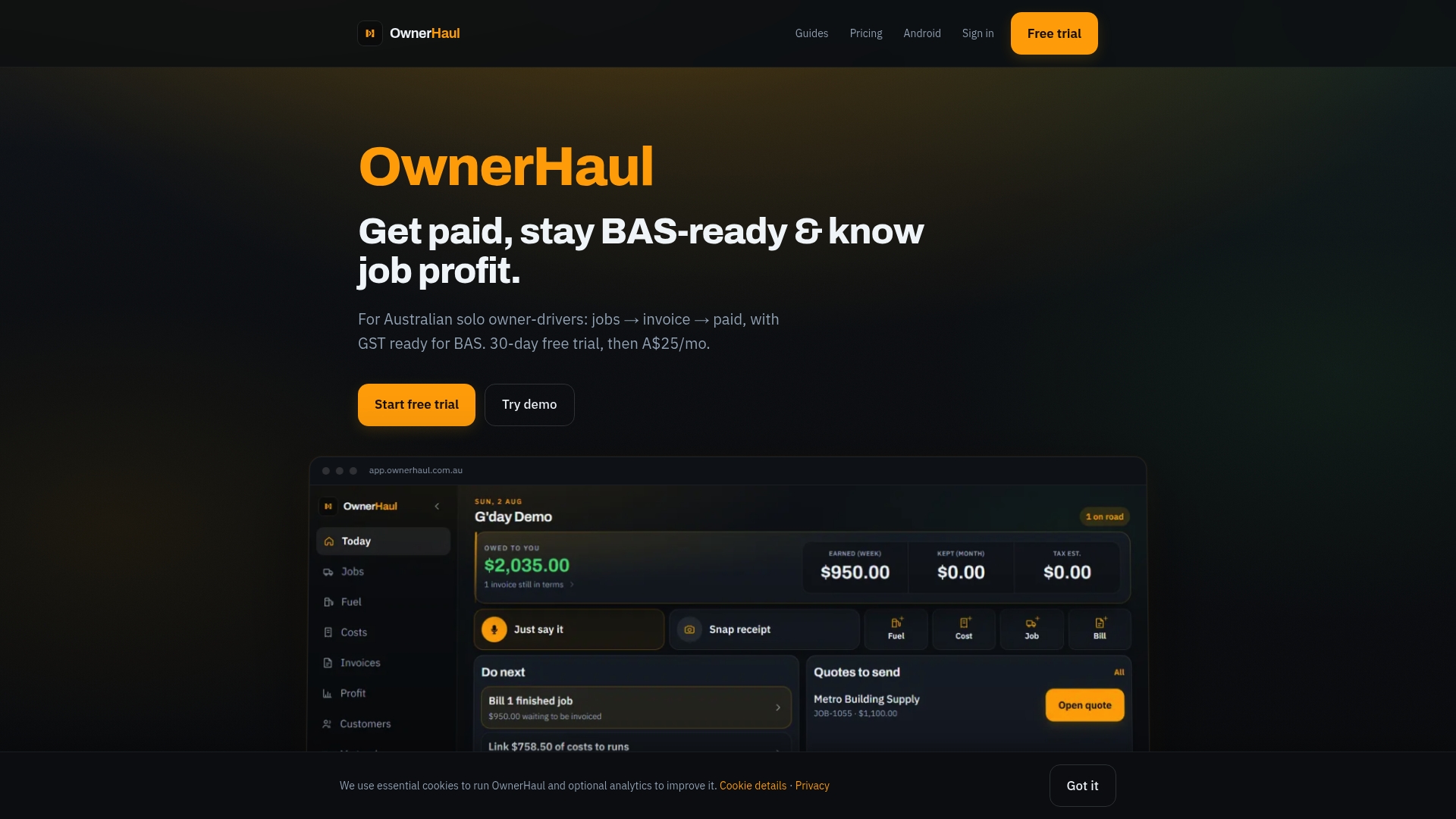
Ownerhaul automatically assigns job numbers, generates ABN-compliant tax invoices, and links your fuel and running costs to each job so you know the real profit on every run. At quarter end, the GST ledger is already built. You export a CSV, hand it to your accountant, and your BAS is ready to lodge.
Key features that address the problems covered in this guide:
- Automated job numbering with no manual entry required
- ABN tax invoice generation with GST calculated
- Fuel and cost records linked to each job number
- Quarter-by-quarter GST ledger for BAS lodgement
- CSV export formatted for accountant import
- 30-day free trial, no lock-in
Start your free trial at Ownerhaul and see how automated job logging and BAS-ready exports work in practice. View pricing details if you want to compare plans before signing up.
Useful sources for further reading
- OwnerHaul · Get paid, stay BAS-ready & know job profit | AU owner-drivers
- How to Use Job Numbers to Manage Work
- How to Configure Sequence Numbering | CMMS with IoT | Infodeck Docs
- WO Number Format
- How You Manage a Work Order Header
- About auto-sequencing work orders
- Create automatic job numbers in Microsoft Dynamics 365
- Numbering scheme — Wikipedia
Use the Infodeck and Lucity links to verify field limits and reset behaviour for your specific tool before locking in a format.